E-Billing and Invoice Software: Benefits for Small Businesses
Learn how e-billing and invoice software helps small businesses create professional invoices, manage customers, calculate taxes, track payments, download PDFs, save time, and reduce billing errors.
A practical Arixa perspective for businesses planning their next digital move.
Billing is one of the most important daily operations for a small business. Shops, garages, agencies, clinics, dealers, consultants, and service companies all need to create bills, manage customer details, calculate totals, track payments, and maintain reliable records.
Handwritten bills and spreadsheets may work at a very small scale. As transactions increase, however, manual billing can become slow, inconsistent, difficult to search, and vulnerable to mistakes.
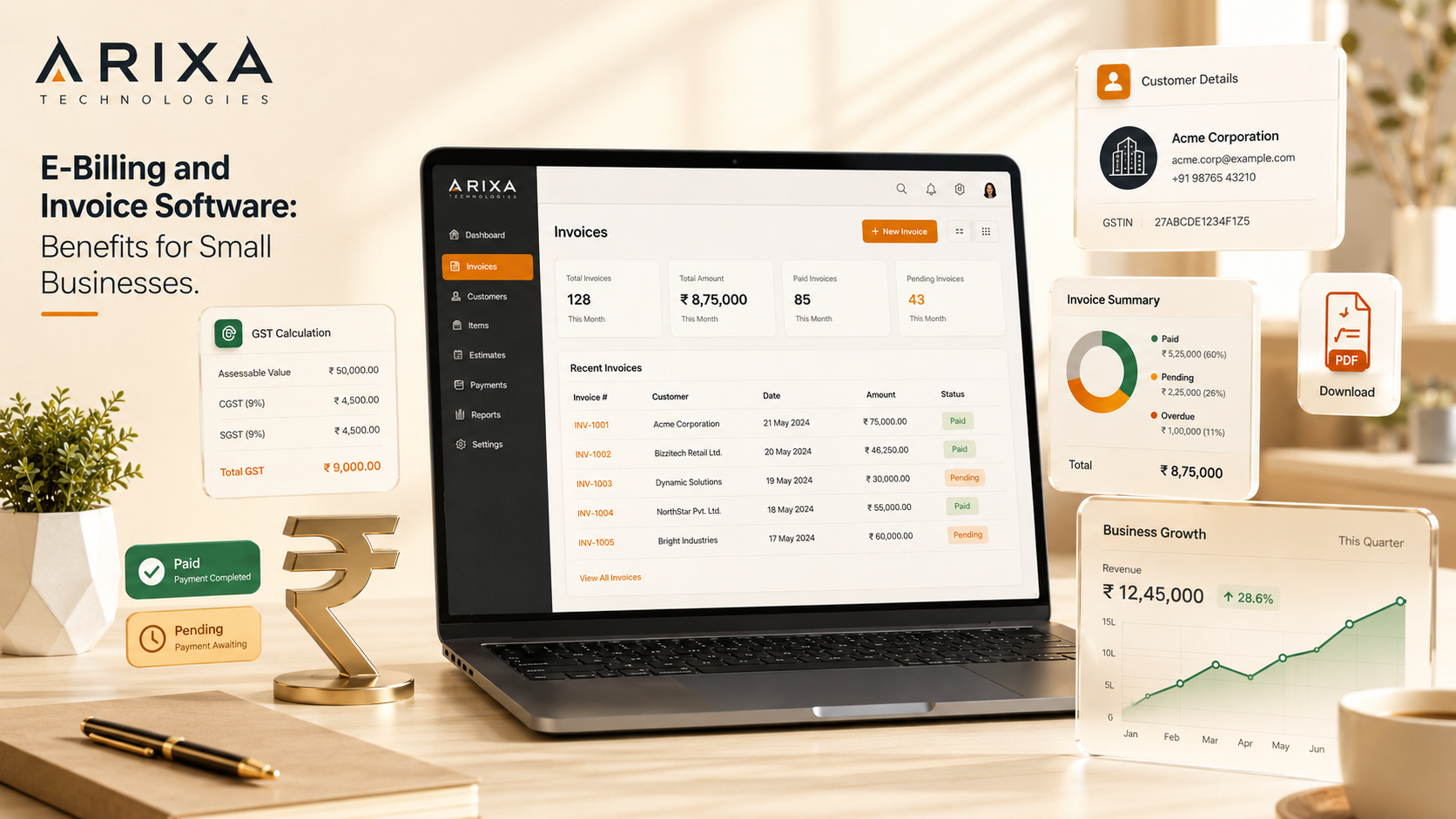
E-billing and invoice software provides a structured way to create invoices, manage customer and item data, calculate configured taxes, generate PDF documents, track payment status, and review billing history.
This guide explains how invoice software can help small businesses save time, improve accuracy, and manage daily operations more professionally.
What is e-billing software?
E-billing software is a digital system used to create, manage, store, and retrieve invoices through a secure application or business dashboard.
An e-billing system can include:
- Invoice creation
- Customer records
- Product or service details
- Quantity and price
- Discounts
- Configurable tax calculations
- Automatic totals
- PDF download
- Print support
- Payment status
- Invoice history
- Administration controls
- Reports
Instead of repeatedly writing the same information, users can select saved customers and items, then generate a structured invoice.
What is invoice software?
Invoice software helps businesses issue bills for products, services, repairs, subscriptions, orders, or project payments.
A practical invoice system can:
- Add customer and business information
- Add products, services, and descriptions
- Calculate subtotals
- Apply discounts
- Calculate configured taxes
- Generate the final amount
- Download or print invoices
- Track paid and unpaid balances
- Store invoice history
The software should match the business workflow and remain understandable to the people who use it daily.
Why small businesses need invoice software
Small-business teams often manage customers, products, services, quotations, payments, inventory, follow-ups, and reporting at the same time.
Manual billing can create problems such as:
- Calculation mistakes
- Lost or damaged bills
- Duplicate records
- Difficult customer searches
- Payment confusion
- Missing invoice history
- Inconsistent tax calculation
- Repeated data entry
- Unprofessional document formats
- Weak reporting
Invoice software centralizes this information and creates a repeatable process.
1. Save time in daily billing
Manual billing requires repeated entry of customer details, item descriptions, quantities, prices, discounts, taxes, and totals.
Software can store:
- Customer records
- Products and services
- Standard prices
- Tax settings
- Payment terms
- Business information
Saved data reduces repetitive work and can shorten the time needed to prepare each invoice.
2. Reduce billing mistakes
Manual calculations can introduce errors in quantities, rates, discounts, taxes, payments, or balances.
Invoice software can calculate:
- Subtotal
- Discount
- Configured tax
- Grand total
- Paid amount
- Balance amount
Automated calculation reduces arithmetic errors, but the business must still verify product prices, tax settings, customer details, and final invoice values.
3. Create professional invoices
A professional invoice can include:
- Business name and logo
- Address and contact information
- Tax registration details
- Invoice number
- Invoice date
- Customer information
- Product or service lines
- Tax breakdown
- Total amount
- Payment status
- Terms and conditions
- Authorized signature area
Consistent invoice formatting improves readability and presents the business more professionally.
4. Support GST and tax calculations
For businesses using GST, software can calculate tax using configured rules and rates.
The invoice may show:
- Taxable amount
- CGST
- SGST
- IGST
- Tax percentage
- Total tax
- Final invoice amount
Software calculations depend on correct configuration. GST treatment, invoice requirements, place-of-supply rules, and tax rates should be confirmed with a qualified accountant or tax adviser.
5. Download and print PDF invoices
PDF invoices can be:
- Shared through WhatsApp
- Sent by email
- Printed for customers
- Stored in digital records
- Attached to payment requests
- Retrieved for audits or support
Generated PDFs should preserve the invoice number, date, customer, line items, totals, and business details consistently.
6. Track payment status
Invoice software can classify records as:
- Paid
- Unpaid
- Partially paid
- Pending
- Overdue
- Cancelled
This helps teams identify pending balances and plan follow-up work.
Payment tracking is especially useful for service businesses, dealers, agencies, wholesalers, garages, and companies that accept advance or part payments.
7. Manage customer records
Customer records can include:
- Name
- Phone number
- Email address
- Billing address
- Tax registration number
- Previous invoices
- Payment history
- Service history
Centralized customer information supports faster invoice creation and better account history.
Access to personal and financial data should be protected with authentication, appropriate permissions, and secure handling.
8. Improve record keeping
Paper invoices can be misplaced or damaged, while unstructured spreadsheets become difficult to maintain as data grows.
A digital billing system can search records by:
- Customer
- Invoice number
- Date range
- Payment status
- Product or service
- Amount
Reliable backups and export options are important. A business should not depend on a single device or database copy.
9. Convert quotations into invoices
Many businesses first issue a quotation and create an invoice after the customer approves the work.
A connected quotation workflow can:
- Create estimates
- Send or print quotations
- Track approval
- Convert approved details into an invoice
- Preserve quotation history
- Avoid entering the same information twice
This workflow is useful for garages, agencies, suppliers, dealers, contractors, and project-based service businesses.
10. Improve cash-flow visibility
Billing reports can show:
- Total invoiced value
- Collected payments
- Outstanding balances
- Partially paid invoices
- Customer dues
- Monthly billing totals
These figures support operational planning, although accounting reports should be reviewed and reconciled with the business's financial records.
11. Support product and service businesses
E-billing software can support:
- Automobile garages
- Retail shops
- Wholesalers
- Product dealers
- Service providers
- Digital agencies
- Clinics
- Training centres
- Repair businesses
- Hardware and electrical stores
- Equipment sellers
- Small manufacturers
- Freelancers
- Consultants
The required fields and workflows differ by business type, so the system should be configured around actual operations.
12. Generate useful business reports
Reports can include:
- Daily and monthly billing
- Customer-wise sales
- Product or service totals
- Paid and unpaid invoices
- Tax summaries
- Revenue trends
- Quotation status
Reports help owners understand activity and identify missing payments or unusual patterns.
13. Reduce paperwork
Digital invoicing reduces dependence on registers, duplicate paper copies, and physical filing.
It can improve:
- Document retrieval
- Sharing
- Storage
- Backup
- Search
- Record organization
Businesses should still retain documents for the period and format required by applicable accounting and tax rules.
14. Present a more organized business
Clear invoice numbering, consistent documents, accurate totals, and accessible records communicate that the business has a structured process.
Professionalism comes from reliable operations, not only from the visual appearance of an invoice.
15. Customize software around the workflow
Ready-made systems are useful when their features match the business. Custom software becomes valuable when the workflow requires specialized fields, permissions, integrations, or reports.
A garage may need:
- Vehicle number
- Vehicle model
- Chassis or engine details
- Labour charges
- Spare-parts lines
- Service history
A product business may need:
- Product codes
- Quantities
- Stock movement
- Taxes and discounts
- Delivery details
A service business may need:
- Service description
- Project charges
- Advance payments
- Milestones
- Balance tracking
- Payment status
Custom software development can connect billing with the exact business workflow.
Important invoice-software features
A practical invoice system may include:
- Invoice creation
- Customer management
- Product and service records
- Configurable taxes
- Discounts
- PDF generation
- Printing
- Payment tracking
- Invoice history
- Search and filters
- Admin dashboard
- Reports
- Quotations
- Business branding
- Responsive interface
- Secure authentication
- Role-based permissions
- Backups and exports
- Audit history where required
Features should be prioritized around daily use rather than added only to make the system appear complex.
Manual billing vs e-billing software
| Comparison | Manual billing | E-billing software |
|---|---|---|
| Speed | Repeated manual entry | Saved data and automated totals |
| Accuracy | Higher risk of arithmetic errors | Consistent configured calculations |
| Record keeping | Paper or scattered files | Searchable centralized records |
| Tax calculation | Manual | Configurable calculation |
| PDF download | Requires separate document creation | Can be generated from invoice data |
| Invoice search | Time-consuming | Search and filtering |
| Payment tracking | Separate manual records | Linked invoice status |
| Reporting | Difficult to compile | Structured reports |
| Scalability | Limited | Better suited to increasing volume |
The software still requires correct data entry, configuration, backups, security, and periodic review.
Custom software or ready-made billing tool?
Choose a ready-made tool when:
- The workflow is standard
- Required reports already exist
- The pricing is sustainable
- Data export is available
- Security and support meet your needs
Consider custom software when:
- The business has unique invoice fields
- Quotations, inventory, service records, or CRM must be connected
- Multiple roles need different permissions
- Existing tools require too many manual workarounds
- Custom reports or integrations are important
A web application can provide secure browser-based access without installing software on every workstation.
Security and backup considerations
Billing systems contain customer, transaction, and business data. They should include:
- Secure authentication
- Role-based access
- Encrypted network connections
- Server-side validation
- Regular backups
- Controlled data exports
- Activity logs where required
- Safe error handling
- Dependency and security updates
The business should also define who can create, edit, cancel, export, or delete invoices.
Why choose Arixa Technologies?
Arixa Technologies builds custom billing and business-management systems around practical workflows.
Solutions can include:
- Invoice creation
- Quotation workflows
- Customer records
- Configurable tax calculations
- PDF generation
- Print support
- Payment status
- Product and service management
- Inventory workflows
- Admin dashboards
- Reports
- Lead and enquiry integration
- Custom business fields
The goal is to reduce repetitive work, improve visibility, and create a system that the business can operate confidently.
Final thoughts
E-billing and invoice software can help small businesses create consistent invoices, reduce calculation mistakes, save time, manage customers, track payments, generate PDFs, and maintain searchable records.
Manual billing may be sufficient at very low volume, but growing businesses often benefit from a structured digital system.
The best solution is the one that fits the business workflow, protects its data, supports accurate accounting, and remains easy for the team to use.
Plan your billing system
Need an invoice, quotation, inventory, or business-management system designed around your workflow?
Contact Arixa Technologies to discuss custom billing software, web applications, customer management, reports, integrations, and connected digital solutions.
Article FAQ
Questions this topic often raises.
What is e-billing software?
E-billing software is a digital system that helps businesses create invoices, manage customers and line items, calculate configured totals, track payments, generate PDFs, and store billing records.
Why do small businesses need invoice software?
Invoice software can save time, reduce calculation mistakes, create consistent documents, track payment status, organize customer records, and improve billing visibility.
Can invoice software calculate GST?
Yes. Invoice software can calculate configured GST rates and display taxable amounts and tax totals. The business should verify tax configuration and compliance requirements with a qualified accountant or tax adviser.
Can I download invoices as PDF?
Yes. A billing system can generate downloadable and printable PDF invoices for customers, email, WhatsApp sharing, and business records.
What businesses can use e-billing software?
Shops, garages, agencies, service providers, clinics, wholesalers, dealers, repair businesses, freelancers, consultants, and many other businesses can use invoice software.
Can billing software track payment status?
Yes. Billing software can track paid, unpaid, partially paid, pending, overdue, and cancelled invoices to improve follow-up and cash-flow visibility.
Is custom invoice software better than ready-made software?
Custom software is useful when the business needs specialized fields, quotation workflows, inventory, permissions, reports, or integrations. A ready-made tool may be better when its standard features already match the workflow.
Can Arixa Technologies build custom invoice software?
Yes. Arixa Technologies can build e-billing, invoicing, quotation, inventory, customer-management, reporting, and admin systems based on defined business requirements.