Google Business Profile Optimization Guide for Local Businesses
Learn how eligible local businesses can improve Google Business Profile accuracy, Search and Maps visibility, customer trust, calls, website clicks, and local enquiries.
A practical Arixa perspective for businesses planning their next digital move.
Local customers frequently use Google Search and Maps before choosing a shop, clinic, school, restaurant, gym, service provider, or other nearby business.
They may search for:
- Clinic near me
- Restaurant near me
- School near me
- Digital marketing agency near me
- Gym near me
- Service provider near me
Google can show local business results that include contact information, hours, reviews, photographs, directions, services, and website links.
A complete and accurate Google Business Profile can help an eligible local business explain what it does and make it easier for nearby customers to take action.
This guide explains how to optimize a Business Profile responsibly and connect it with a broader website and local SEO strategy.
First, confirm that your business is eligible
Google Business Profile is not intended for every type of business.
According to Google's Business Profile eligibility guidance, a business generally needs to make in-person contact with customers during its stated hours. Eligible models include storefront businesses, service-area businesses that visit customers, and hybrid businesses that do both.
Online-only businesses that do not meet customers in person and do not visit customers are not eligible for a Business Profile.
Before creating or optimizing a profile:
- Confirm that the business is eligible.
- Use a real operating location or accurate service-area model.
- Do not use virtual offices, unsupported addresses, or fabricated locations.
- Follow the verification method provided by Google.
Eligibility and verification rules should be reviewed before investing in local profile optimization.
What is Google Business Profile?
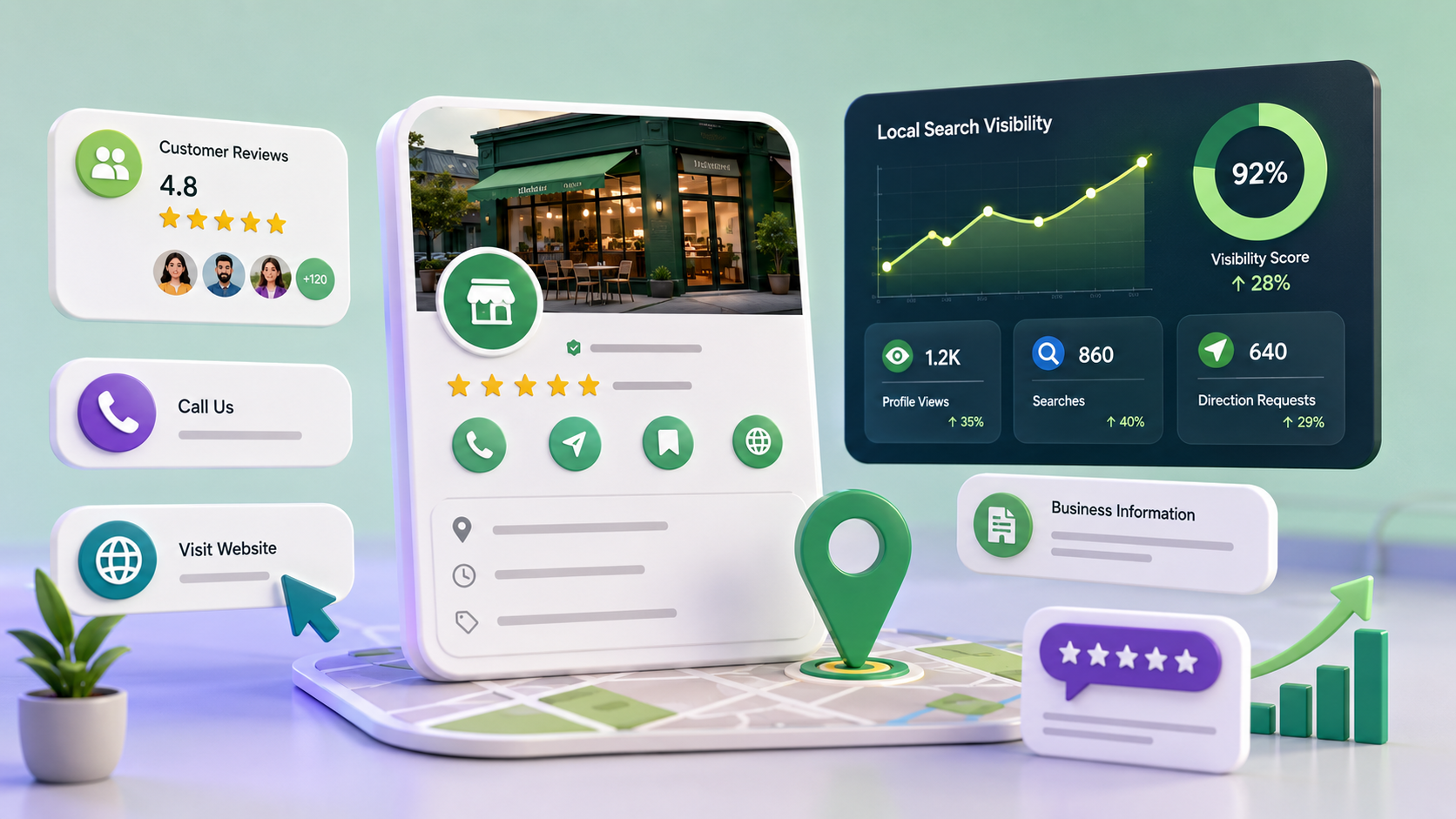
Google Business Profile is a free listing for eligible businesses that can appear on Google Search and Google Maps.
Depending on business type, category, region, and available features, a profile can display:
- Business name
- Primary category
- Address or service area
- Phone number
- Website
- Hours
- Services
- Photographs and videos
- Reviews
- Business description
- Attributes
- Updates and offers
- Directions and contact actions
The profile helps customers understand the business before visiting, calling, or opening its website.
Why is it important for local businesses?
An accurate profile can support:
- Search and Maps discovery
- Telephone calls
- Website visits
- Direction requests
- Service visibility
- Customer reviews
- Business photographs
- Current opening hours
- Local trust
A profile does not guarantee rankings or leads. It works best when business information, customer experience, website quality, and broader local authority are also strong.
How Google determines local ranking
Google states that local results are mainly based on:
- Relevance: how well the business matches the search
- Distance: how far the business is from the searcher or specified location
- Prominence: how well known the business appears
Google also states that businesses cannot request or pay Google for a better organic local ranking. See Google's local ranking guidance.
Businesses cannot control distance for every search. They can improve the accuracy, completeness, relevance, and reputation signals connected with the business.
1. Add complete and accurate business information
Review all available profile fields:
- Real business name
- Accurate address or service area
- Active phone number
- Official website
- Primary category
- Additional relevant categories
- Regular and special hours
- Services
- Business description
- Opening date where appropriate
- Relevant attributes
- Photographs
Incomplete or inconsistent information can confuse both customers and Google.
2. Use the real business name
The profile name should match how the business is represented in the real world through signage, stationery, branding, and customer-facing material.
Correct:
Arixa Technologies
Incorrect:
Arixa Technologies Best Website Development SEO Company India
Do not add marketing phrases, locations, service lists, or keywords that are not part of the real business name. Google's business representation guidelines explain that the profile should represent the business accurately and consistently.
3. Choose the most accurate category
The primary category should describe the main business activity as specifically as Google's available category list allows.
Additional categories can represent important secondary activities, but they should not be used as a list of every service.
Google explains that categories influence how a business connects with relevant searches. Review the current Business Profile category guidance before selecting categories.
Category options can change, so choose from the categories currently available in the profile editor.
4. Write a clear business description
A useful description explains:
- What the business does
- Main products or services
- Who it serves
- Relevant service area
- What differentiates it
Write naturally. Avoid repetitive keywords, promotional exaggeration, unsupported claims, links, or information that belongs in other profile fields.
Example:
Arixa Technologies provides website development, web applications, mobile apps, SEO, e-commerce, custom software, billing systems, digital marketing, and creative digital solutions for businesses.
Only use claims and service areas that accurately reflect the business.
5. Add the official website
The website gives customers more space to evaluate:
- Services
- Company information
- Relevant work examples
- Blog articles
- Testimonials
- FAQs
- Contact options
- Policies
Use the canonical HTTPS website URL and ensure it loads correctly on mobile devices.
The website and profile should use consistent business information. A profile can create initial visibility, while the website provides deeper service detail and conversion pathways.
6. Keep the phone number accurate
Use a phone number that reaches the business during the stated hours.
Keep it consistent across:
- Google Business Profile
- Website
- Social profiles
- Major business directories
- Customer-facing material
Google Business Profile chat was discontinued on July 31, 2024, but customers can still use available call, website, direction, and other supported actions. Current functionality can vary by profile and region.
7. Maintain correct business hours
Add:
- Normal opening hours
- Weekly closed days
- Holiday hours
- Special event hours
- Temporary closure information where necessary
Update hours before holidays or operational changes. Incorrect hours create a poor customer experience and can lead to negative feedback.
8. Define the location or service area correctly
Storefront businesses should use the real customer-facing address.
Service-area businesses that visit or deliver to customers but do not serve customers at their own address should hide that address and define accurate service areas.
Google currently allows service areas to be specified by cities, postal codes, or other supported areas rather than an arbitrary radius. Review Google's service-area guidance for current limits and rules.
Do not create multiple profiles simply to target extra cities when the business does not have separate eligible locations.
9. Add services clearly
Where the profile offers service management, add the services customers can actually purchase.
Each service should use:
- A clear name
- A concise description
- Accurate pricing information if displayed
- No misleading keyword repetition
For a digital services company, relevant offerings could include website development, SEO, e-commerce, web applications, mobile applications, custom software, or digital marketing, subject to the profile's eligibility and available categories.
10. Add authentic photographs and videos
Useful media can include:
- Logo
- Storefront or workspace
- Team members
- Staff providing services
- Products
- Equipment
- Customer-facing areas
- Completed work where permission exists
Google's photo and video guidance recommends clear, well-lit media that represents reality without significant alteration or excessive filters.
Google does not guarantee that a selected cover photo will always appear as the first image.
Avoid generic stock imagery that does not represent the actual business.
11. Use a recognizable logo and suitable cover image
The logo should be clear and consistent with the wider brand.
The cover image should represent the actual business rather than making unsupported promises. It should be high quality, appropriately framed, and free from misleading information.
Google may select a different image based on quality and other signals, so the full media library should remain accurate and professional.
12. Request genuine customer reviews
Reviews can help customers evaluate a business and contribute to its online prominence.
Ask real customers for honest feedback after a genuine experience.
Do not:
- Buy reviews
- Create reviews through staff or fake accounts
- Offer discounts, gifts, or payment for reviews
- Request only positive reviews
- Pressure customers to change or remove criticism
- Coordinate artificial review campaigns
Google's Maps content policy prohibits fake, incentivized, and manipulated reviews.
13. Respond to reviews professionally
Review responses demonstrate that the business listens to customers.
For positive feedback:
- Thank the customer
- Refer to the service naturally
- Keep the response concise
For critical feedback:
- Stay professional
- Avoid exposing personal information
- Acknowledge the concern without arguing
- Invite the customer to use an appropriate private support channel
- Investigate before making claims
Do not use templated responses that ignore what the customer wrote.
14. Publish relevant updates
Where posts are available, a business can publish:
- Announcements
- Offers
- Events
- New services
- Useful updates
- Relevant article links
Google's Business Profile post guidance explains that posts can appear in profile surfaces on Search and Maps.
Feature availability and display can vary by category, location, device, and Google product changes. Keep important information on the website as well.
15. Manage available products, services, or links
Some profile types can add products, services, booking links, menu links, or other business-specific actions.
Use only features available for the current category and region.
Information should be:
- Accurate
- Current
- Consistent with the website
- Free from misleading prices or unavailable offers
Do not depend on profile features as the only source of important business information.
16. Use local language naturally
Describe the locations and service areas that the business genuinely serves.
Useful phrases may include:
- Website development for businesses in India
- SEO services for small businesses
- Digital marketing for local companies
- Software services in a specific operating region
Avoid repeating city names or creating inaccurate location claims only to influence rankings.
For businesses serving global customers, maintain broader website service pages alongside any legitimate local profile. Google Business Profile supports local discovery; it does not replace global SEO.
17. Keep business details consistent
NAP commonly refers to:
- Name
- Address
- Phone number
Keep core information consistent across:
- Website
- Google Business Profile
- Major social profiles
- Relevant directories
- Business cards and invoices
Minor formatting differences are less important than factual consistency.
18. Connect the profile with the website
The website should provide:
- SEO-ready service pages
- Contact information
- Relevant local or service-area context
- Useful blog content
- Genuine testimonials
- Clear calls to action
- Mobile-friendly layouts
- Fast performance
- Structured data
For a broader strategy, read SEO for Small Businesses.
19. Track profile performance
Verified profile owners and managers can review available performance data.
Google's Business Profile performance guidance lists metrics such as:
- Search terms
- Views
- Calls
- Website clicks
- Direction requests
- Bookings where supported
Metrics and feature availability can change. Use profile data alongside website analytics, enquiry records, and actual revenue outcomes.
Search terms shown in profile performance cannot be directly controlled.
20. Maintain the profile continuously
Profile optimization is not a one-time task.
Review:
- Business details
- Hours
- Categories
- Services
- Photographs
- Reviews
- Website links
- Duplicate profiles
- User-suggested edits
- Performance
Update information when the business changes and retain documentation needed for verification.
Common Google Business Profile mistakes
Avoid:
- Creating a profile for an ineligible online-only business
- Using a fake or unsupported location
- Adding keywords to the business name
- Choosing unrelated categories
- Publishing an incorrect phone number
- Showing an address where customers are not served
- Missing special hours
- Using misleading images
- Buying or incentivizing reviews
- Creating duplicate profiles
- Claiming service areas the business cannot serve
- Ignoring user-suggested edits
- Treating the profile as a substitute for a website
Policy violations can lead to edits, restrictions, suspension, or removal.
Google Business Profile optimization checklist
- Confirm eligibility
- Claim and verify the correct profile
- Use the real business name
- Select the most accurate primary category
- Add only relevant secondary categories
- Set the correct address or service area
- Add a working phone number
- Add the official HTTPS website
- Maintain regular and special hours
- Write an accurate description
- Add real services
- Upload authentic photographs
- Request genuine reviews without incentives
- Respond to reviews professionally
- Publish relevant updates where available
- Keep business details consistent
- Review performance
- Monitor profile changes
- Connect the profile to a strong website and SEO strategy
Which businesses can use Google Business Profile?
Potentially eligible businesses include customer-facing storefronts, hybrid businesses, and service-area businesses that meet customers in person.
Examples can include:
- Shops
- Schools
- Clinics
- Restaurants
- Gyms
- Coaching centres
- Salons
- Real estate offices
- Event service providers
- Automobile garages
- Product dealers
- Repair services
- Consultants who meet customers in person
Eligibility depends on the real operating model, not simply the industry name.
Why choose Arixa Technologies?
Arixa Technologies provides:
- Website development
- SEO services
- Local and global search strategy
- Google Business Profile guidance for eligible businesses
- Web applications
- Mobile applications
- E-commerce development
- Custom software
- Billing systems
- Digital marketing
- Brand and creative design
We connect profile accuracy, website content, technical SEO, conversion pathways, and broader digital strategy.
Final thoughts
Google Business Profile can be a valuable local discovery tool for eligible businesses.
Effective optimization begins with eligibility and policy compliance, then accurate information, appropriate categories, authentic media, genuine reviews, current hours, and a useful website.
Local rankings are not guaranteed. Relevance, distance, prominence, competition, customer experience, and broader web signals all influence visibility.
Improve your local search presence
Need help connecting an eligible Business Profile with your website and SEO strategy?
Contact Arixa Technologies to discuss profile guidance, local SEO, website development, content, technical SEO, and digital growth systems.
Article FAQ
Questions this topic often raises.
What is Google Business Profile?
Google Business Profile is a free listing for eligible businesses that can display information such as the business name, location or service area, phone number, website, hours, services, photographs, and reviews on Google Search and Maps.
Why is Google Business Profile important for local businesses?
An accurate profile can help eligible local businesses appear in relevant Search and Maps results and make it easier for customers to call, visit the website, request directions, view services, and evaluate reviews.
How can I optimize my Google Business Profile?
Confirm eligibility, verify the profile, use accurate business information, select relevant categories, maintain hours and service areas, add authentic media, request genuine reviews without incentives, and connect the profile to a strong website.
Does Google Business Profile help with local SEO?
Yes. It is an important local discovery surface for eligible businesses. Visibility also depends on relevance, distance, prominence, competition, website signals, reviews, and the searcher's location.
How does Google rank local businesses?
Google states that local results are mainly based on relevance, distance, and prominence. Businesses cannot request or pay Google for a better organic local ranking.
Should I add photos to Google Business Profile?
Yes. Add clear, authentic, well-lit photographs that represent the real business, location, team, products, or services. Avoid misleading stock imagery and excessive editing.
Are reviews important for Google Business Profile?
Genuine reviews help customers evaluate a business and contribute to its online reputation. Buying, incentivizing, fabricating, or manipulating reviews violates Google's policies.
Can Arixa Technologies optimize my Google Business Profile?
Arixa Technologies can provide profile and local SEO guidance for eligible businesses and connect the profile with website development, SEO content, technical optimization, and digital marketing.