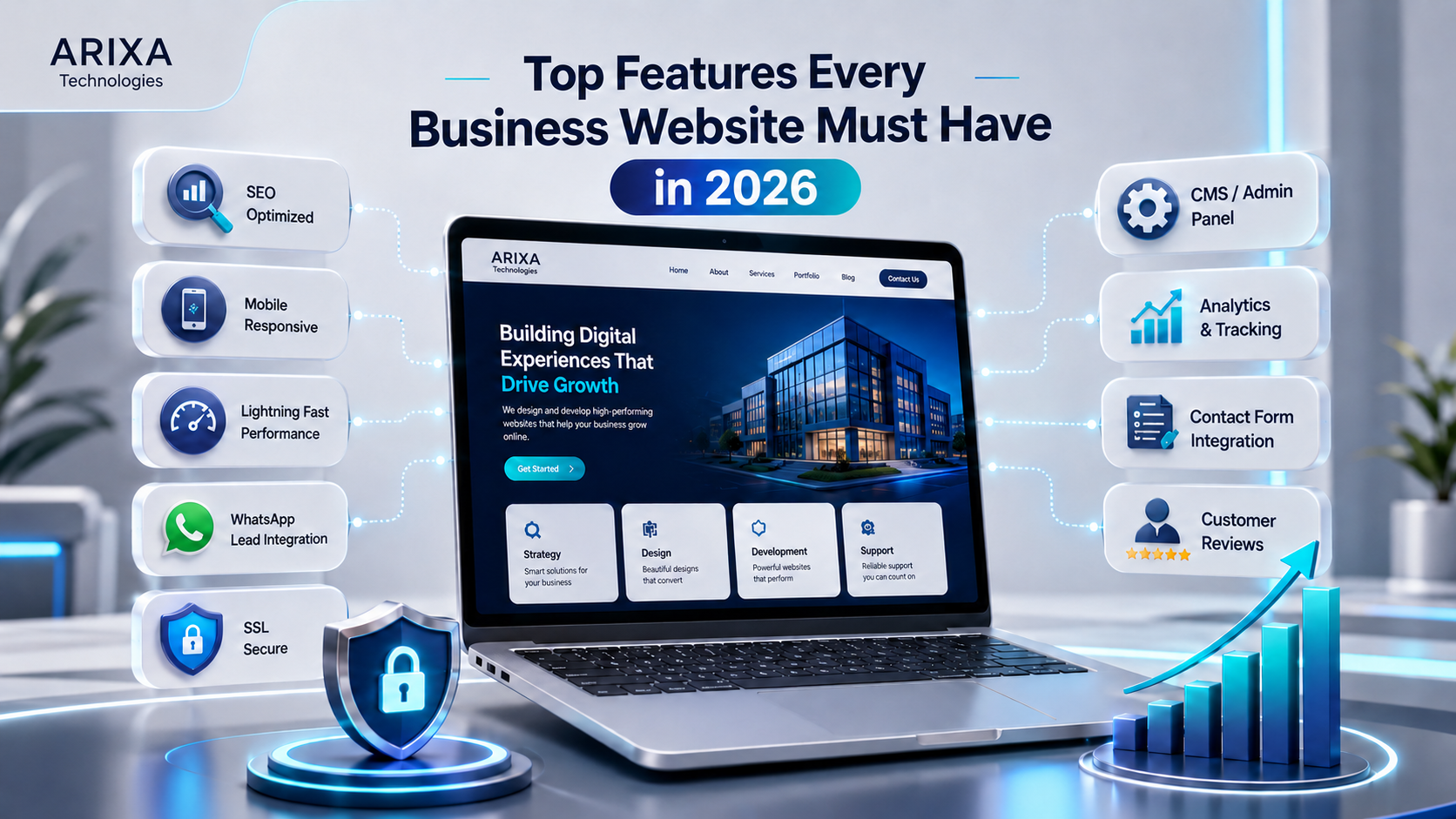
Top Features Every Business Website Must Have in 2026
Explore the essential features a business website needs in 2026, including responsive design, performance, SEO, accessibility, security, CMS controls, analytics, and lead-generation pathways.
A practical Arixa perspective for businesses planning their next digital move.
A business website is no longer only an online visiting card. In 2026, it can support customer acquisition, service discovery, trust, content publishing, lead generation, customer support, and business operations.
Customers often evaluate a company online before calling or sending an enquiry. They look for clear services, credible business information, useful answers, contact options, and a website that works properly on their device.
A modern website therefore needs more than attractive visuals. It should be fast, accessible, secure, mobile-friendly, understandable to search engines, and designed around meaningful customer actions.
This guide explains the features businesses should prioritize in 2026 and why each one matters.
What is a business website?
A business website is an owned digital platform where customers can understand a company, its services or products, its expertise, and how to make contact.
Depending on the business, it can include:
- Home and About pages
- Detailed service or product pages
- Contact options
- Blog articles
- Testimonials
- Work examples or case studies
- Frequently asked questions
- Careers
- Customer portals
- E-commerce
- Administration and CMS controls
The correct feature set depends on the business model. Not every website needs every feature in this article.
Why website features matter in 2026
Useful website features can help a business:
- Explain its offer clearly
- Build customer confidence
- Support search visibility
- Generate enquiries
- Improve mobile usability
- Measure marketing performance
- Publish and update content
- Protect customer and business data
- Integrate with operational systems
A feature should be included because it improves a real workflow or customer decision, not simply because it is fashionable.
1. Responsive mobile-first design
A website should adapt across mobile phones, tablets, laptops, and large desktop displays.
A responsive interface needs:
- Readable typography
- Stable layouts
- Predictable navigation
- Touch-friendly controls
- Forms that fit smaller screens
- Images sized for the device
- No horizontal scrolling
- No overlapping content
Mobile-first planning is particularly important for businesses whose customers call, message, request directions, book, or submit enquiries from a phone.
2. Fast and stable performance
Visitors should be able to access important content without waiting for unnecessary scripts, oversized images, or heavy decorative effects.
Performance work can include:
- Responsive compressed images
- Modern image formats
- Efficient fonts
- Focused client-side JavaScript
- Caching
- Reliable hosting
- Lazy loading below-the-fold media
- Prioritizing important first-viewport content
- Limiting third-party scripts
Google's current Core Web Vitals documentation identifies:
- Largest Contentful Paint (LCP) for loading performance
- Interaction to Next Paint (INP) for responsiveness
- Cumulative Layout Shift (CLS) for visual stability
Core Web Vitals are useful user-experience measures, but passing them does not guarantee search rankings or conversions.
3. Search-friendly site architecture
Search engine optimization begins with a structure that users and crawlers can understand.
Important foundations include:
- Unique page titles
- Useful meta descriptions
- Human-readable URLs
- One clear H1
- Logical H2 and H3 headings
- Internal links
- Descriptive image alt text
- XML sitemap
- Appropriate robots directives
- Canonical URLs
- Structured data
- Useful original content
- Correct status codes
Google's SEO Starter Guide explains that SEO helps search engines crawl, index, and understand content. It does not guarantee that a page will rank first.
For practical guidance, read SEO for Small Businesses.
4. Clear service pages
Every important service should have enough space to explain:
- What it is
- Who it is for
- The problem it solves
- Benefits
- Features
- Delivery process
- Relevant proof
- FAQs
- The next step
Arixa Technologies uses individual pages for services such as:
- Website Development
- Web App Development
- Mobile App Development
- SEO Services
- E-Commerce Development
- Custom Software Development
- Digital Marketing
Separate pages improve customer clarity and provide better search context than a short list alone.
5. Clear calls to action
A call to action tells a visitor what they can do next.
Examples include:
- Contact Us
- Request a Quote
- Call Now
- Chat on WhatsApp
- Book an Appointment
- Request a Demo
- Start Your Project
Each section should have a clear purpose. Avoid presenting too many equal-priority actions at once.
Calls to action should remain visible, readable, keyboard accessible, and usable on mobile screens.
6. Relevant messaging channels
Businesses can provide channels that match how their customers prefer to communicate:
- Telephone
- Contact form
- Appointment booking
- Customer portal
WhatsApp can reduce friction for audiences that actively use it, but it is not mandatory for every global audience or business model.
Floating contact controls should not cover page content, cookie controls, or accessibility tools.
7. Click-to-call support
Telephone links help mobile visitors call without copying a number.
Use a valid tel: link and display the number in readable text.
Telephone actions are especially useful for appointment-based services, urgent enquiries, local businesses, and customers who need a conversation before purchasing.
8. Focused enquiry forms
A lead form should collect only the information needed for the next business step.
Common fields include:
- Name
- Phone number
- Required service
- Message
- Approximate budget where relevant
Forms should include:
- Clear labels
- Validation messages
- Keyboard support
- Spam protection
- Secure server-side validation
- Privacy information
- A clear success state
Read How a Business Website Can Generate More Leads for a broader conversion strategy.
9. A homepage with a clear value proposition
The first viewport should quickly communicate:
- Who the business is
- What it provides
- Who it helps
- Why the offer matters
- What the visitor can do next
The rest of the homepage can introduce services, solutions, trust signals, process, articles, FAQs, and contact actions.
A homepage should guide visitors towards deeper pages rather than trying to contain every detail.
10. Trustworthy company information
An About page can explain:
- Company purpose
- Approach
- Capabilities
- Values
- Business identity
- Team information where appropriate
- Contact details
Avoid vague claims such as "best" or "number one" unless they are supported by credible evidence.
11. Authentic testimonials
Testimonials are useful when they are genuine, specific, and connected to real work.
Helpful details can include:
- Customer or company
- Service delivered
- Relevant experience
- Specific result
Do not fabricate testimonials, ratings, clients, or project outcomes.
12. Relevant work evidence
A business does not necessarily need a standalone portfolio page.
Proof can appear within:
- Service pages
- Case studies
- Project summaries
- Before-and-after examples
- Screenshots
- Measurable outcomes
Only publish client names, images, or results when permission and accuracy are confirmed.
13. A maintainable blog system
A blog supports educational content, topic depth, internal linking, and long-term search visibility.
Useful articles answer genuine customer questions, such as:
- Website development cost in India
- Why a small business needs a website
- Website vs mobile app
- E-billing software benefits
- Custom software and time savings
Publishing frequency matters less than accuracy, usefulness, originality, and maintenance.
14. Frequently asked questions
FAQs can answer common objections and reduce repeated support work.
Useful questions might cover:
- Cost
- Timeline
- Scope
- Content ownership
- SEO
- Hosting
- Maintenance
- Integrations
FAQ structured data should only represent visible page content and must follow current search-engine policies. Schema does not guarantee a rich result.
15. HTTPS and secure handling
Every production website should use HTTPS.
HTTPS protects the confidentiality and integrity of data in transit and helps users verify they are communicating with the intended website.
Security also requires:
- Secure authentication
- Server-side authorization
- Input validation
- Safe error handling
- Protected secrets
- Security headers
- Dependency updates
- Rate limiting or anti-spam controls
- Validated file uploads
TLS certificates alone do not make an application secure.
16. CMS or admin controls
A CMS helps authorized users manage content without editing source code.
It can support:
- Blog publishing
- Service updates
- Careers
- Testimonials
- FAQs
- Media
- Leads
- SEO metadata
- Site settings
Admin routes require authentication, authorization, validation, audit considerations, and safe media handling.
17. Privacy-aware analytics
Analytics can help measure:
- Visits
- Traffic sources
- Landing pages
- Form submissions
- Contact actions
- Campaign performance
- Search visibility
- Conversion rates
Track business outcomes rather than collecting unnecessary data.
Consent, disclosure, retention, and privacy requirements depend on the countries and audiences served. Obtain appropriate legal advice for compliance obligations.
18. Local profile integration where eligible
Eligible storefront, hybrid, and service-area businesses can connect their website with Google Business Profile.
Useful website information includes:
- Consistent business details
- Operating hours
- Address or service area
- Contact information
- Relevant local context
Online-only businesses that do not meet customers in person are not eligible for a Google Business Profile.
See the Google Business Profile optimization guide for current eligibility and policy guidance.
19. Simple, predictable navigation
Navigation should reflect the pages visitors actually need.
For Arixa Technologies, primary destinations include:
- Home
- About
- Services
- Solutions
- Blog
- Careers
- Contact
Do not add menu items for pages that do not exist or provide meaningful value.
Navigation should support keyboard use, visible focus, mobile interaction, and current-page context.
20. Complete contact information
A contact page can provide:
- Telephone
- WhatsApp where relevant
- Enquiry form
- Business hours
- Address or service area where applicable
- Social profiles
Contact information should be accurate and consistent across the website and external profiles.
21. Verified social links
Link only to active, official social profiles.
Open external social links safely and provide accessible names for icon-only controls.
Do not display empty or placeholder accounts simply to fill space.
22. Clear content for search and AI systems
Search engines and AI-assisted discovery systems benefit from the same core qualities users need:
- Original information
- Direct explanations
- Descriptive headings
- Consistent entity details
- Useful FAQs
- Author and organization information
- Internal links
- Structured data
- Current dates and updates
Google's guidance for AI features and websites states that existing SEO fundamentals remain relevant; no special AI markup or secret optimization is required.
Do not create low-value pages only to target AI systems. Content should be useful to people first.
23. Optimized and relevant visual assets
Images should reveal the actual business, product, service, or topic where possible.
Use:
- Descriptive filenames
- Appropriate dimensions
- Responsive delivery
- Modern formats
- Useful alt text
- Captions when context requires them
- High-quality but compressed files
Avoid blurry, misleading, excessively heavy, or purely decorative media that delays important content.
24. Pricing guidance where appropriate
A standalone pricing page is not required for every business.
Relevant service content can explain:
- Starting ranges
- Common cost factors
- Typical scope
- Optional additions
- Why a detailed quotation is required
Present estimates clearly and avoid treating them as fixed quotations.
25. Focused campaign landing pages
Landing pages can support a specific audience, service, or campaign.
Examples include:
- Website development for small businesses
- SEO services
- Billing software
- E-commerce development
- Digital marketing campaigns
A landing page should align its headline, evidence, form, and call to action with the campaign that sends traffic to it.
26. Accessible design and content
The web should work for people with disabilities.
Accessibility considerations include:
- Semantic HTML
- Keyboard navigation
- Visible focus
- Text alternatives
- Form labels and errors
- Sufficient colour contrast
- Captions or transcripts where needed
- Logical headings
- Reduced-motion support
- Controls that do not rely only on colour
The W3C introduction to web accessibility explains that accessible websites are designed so people with disabilities can perceive, understand, navigate, interact with, and contribute to the web.
Accessibility requires design, development, content, and testing. Automated tools alone are not enough.
27. Backups, monitoring, and maintenance
A production website needs ongoing care:
- Security updates
- Database and media backups
- Restore testing
- Error monitoring
- Uptime monitoring
- Broken-link checks
- Dependency updates
- Performance review
- Content maintenance
- Form testing
- Certificate and domain renewal monitoring
A backup is useful only if it can be restored successfully.
28. Business-specific application features
Some businesses need operational capabilities beyond public pages:
- Invoice and quotation systems
- Inventory
- Booking
- Customer portals
- Admin dashboards
- Payments
- CRM workflows
- Reports
- User accounts
These features can be delivered through custom software or a web application.
Add them only when the workflow and business value are clearly defined.
Business website checklist for 2026
A strong business website should consider:
- Responsive design
- Fast and stable performance
- SEO foundations
- Clear service pages
- Appropriate contact channels
- Focused forms and calls to action
- Authentic trust signals
- Useful articles and FAQs
- HTTPS and application security
- CMS controls where required
- Privacy-aware analytics
- Accessible interaction
- Optimized images
- Clear navigation
- Complete contact information
- Backups and maintenance
The final list should be prioritized around the business and its customers.
Common website mistakes
Avoid:
- Slow pages
- Poor mobile usability
- Missing SEO fundamentals
- Broken forms
- Hidden or unreadable buttons
- Confusing navigation
- Fabricated testimonials or work
- Outdated content
- Missing HTTPS
- Weak admin security
- Unoptimized images
- No analytics or conversion measurement
- No maintenance plan
- Excessive animation that blocks usability
- Empty pages added only for appearance
A successful website combines business strategy, content, design, engineering, search, security, and ongoing operations.
Why choose Arixa Technologies?
Arixa Technologies provides:
- Website development
- Web applications
- Mobile applications
- SEO
- E-commerce
- Custom software
- Billing and quotation systems
- Inventory workflows
- Digital marketing
- Brand and creative design
We build websites that connect public presentation with CMS controls, lead capture, database workflows, search foundations, security, and future scalability.
Final thoughts
In 2026, a business website should be more than a visual profile.
It should communicate clearly, work across devices, load efficiently, protect data, support accessibility, provide useful search content, and make customer actions straightforward.
Not every business needs every possible feature. The strongest website is the one that supports real customer needs and business goals without unnecessary complexity.
Build a modern business website
Need a website with the right features for your customers and operations?
Contact Arixa Technologies to discuss website development, SEO, CMS controls, web applications, e-commerce, business software, and digital growth systems.
Article FAQ
Questions this topic often raises.
What are the most important features of a business website in 2026?
Important features include responsive design, strong performance, clear service content, SEO foundations, accessible interaction, HTTPS, secure forms, useful contact pathways, analytics, and ongoing maintenance.
Why is mobile-friendly design important for business websites?
Customers use many screen sizes. Responsive design keeps content readable, navigation usable, forms accessible, and contact actions easy to operate on mobile, tablet, laptop, and desktop devices.
Why does website speed matter?
Slow or unstable pages can cause visitors to leave before understanding the offer. Performance affects usability, conversions, and Core Web Vitals, although speed alone does not guarantee rankings.
Does every business website need SEO?
Every public business website benefits from basic SEO foundations that help search engines crawl, index, and understand important pages. Competitive visibility also depends on content, relevance, authority, and market conditions.
Does every website need WhatsApp integration?
No. WhatsApp is useful when the target audience prefers it. Businesses should provide communication channels that match their customers, such as telephone, email, forms, booking, or customer portals.
What is a CMS or admin panel?
A CMS or admin panel lets authorized users manage content such as blogs, services, careers, media, FAQs, leads, and SEO settings without directly editing application code.
Is HTTPS necessary for a business website?
Yes. Production websites should use HTTPS to protect data in transit and authenticate the connection. The application still needs secure coding, validation, authorization, updates, and monitoring.
Can Arixa Technologies build a modern business website?
Yes. Arixa Technologies builds responsive business websites with performance optimization, SEO foundations, accessible interfaces, secure forms, CMS controls, analytics guidance, and lead-generation workflows.